Related Items

Saturday, January 16, 2016

Install orchard CMS 1.9.2 using MySQL

Orchard CMS 1.9.2 is running well using database MS SQL Server and MySQL.  For Orchard CMS 1.9.2 when you install it using database MySQL, it will give you an error like this below


Data Source=localhost;Database=mydb;User Id=userid;Password=password

or

Data Source=localhost;Port=3306;Database=mydb;User Id=userid;Password=password

This error is due to some tables created in MySQL are empty, the sample data are not inserted properly in database MySQL.

If you really want to use database MySQL, I suggest you to install it first using database MS SQL Server and then copy data of each tables which is not inserted properly in MySQL during installation from database MS SQL Server and then paste it into database MySQL. After that, you can try to run your website and see the result.

Good luck


Thursday, December 3, 2015

How to use ASP.NET AJAX Control Toolkit v15.1

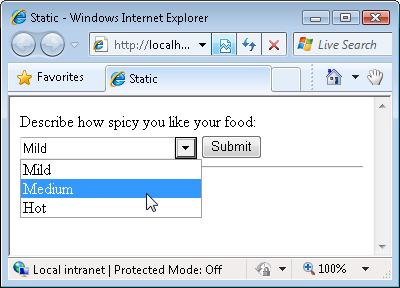
In ASP.NET  C# , If we want to use combo box that can be edited in combo box for searching the content in combo list.


Implement it , simply these are the steps :

1. Download the controll from devexpress website, It is free, here is the link
    https://go.devexpress.com/AjaxControlToolkit_Website_Download.aspx

2. Install it
3. Ajax Control Toolkit can be used using Visual Studio 2010 and above.
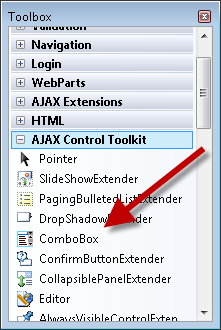
4. When you open Visual Studio 2010, in the Toolbox it will appears like picture below

5. To implement it, we need to add tag <pages> & tag <controls>  in web.config like this below


6. And then add the combo box in web form, like this below :


7. Finish

 Reference :

http://www.asp.net/web-forms/overview/ajax-control-toolkit/combobox/how-do-i-use-the-combobox-control-cs